Sell more kitchens with the designers you already have.
CRM, quoting, payments and orders. One system, built inside our showroom.
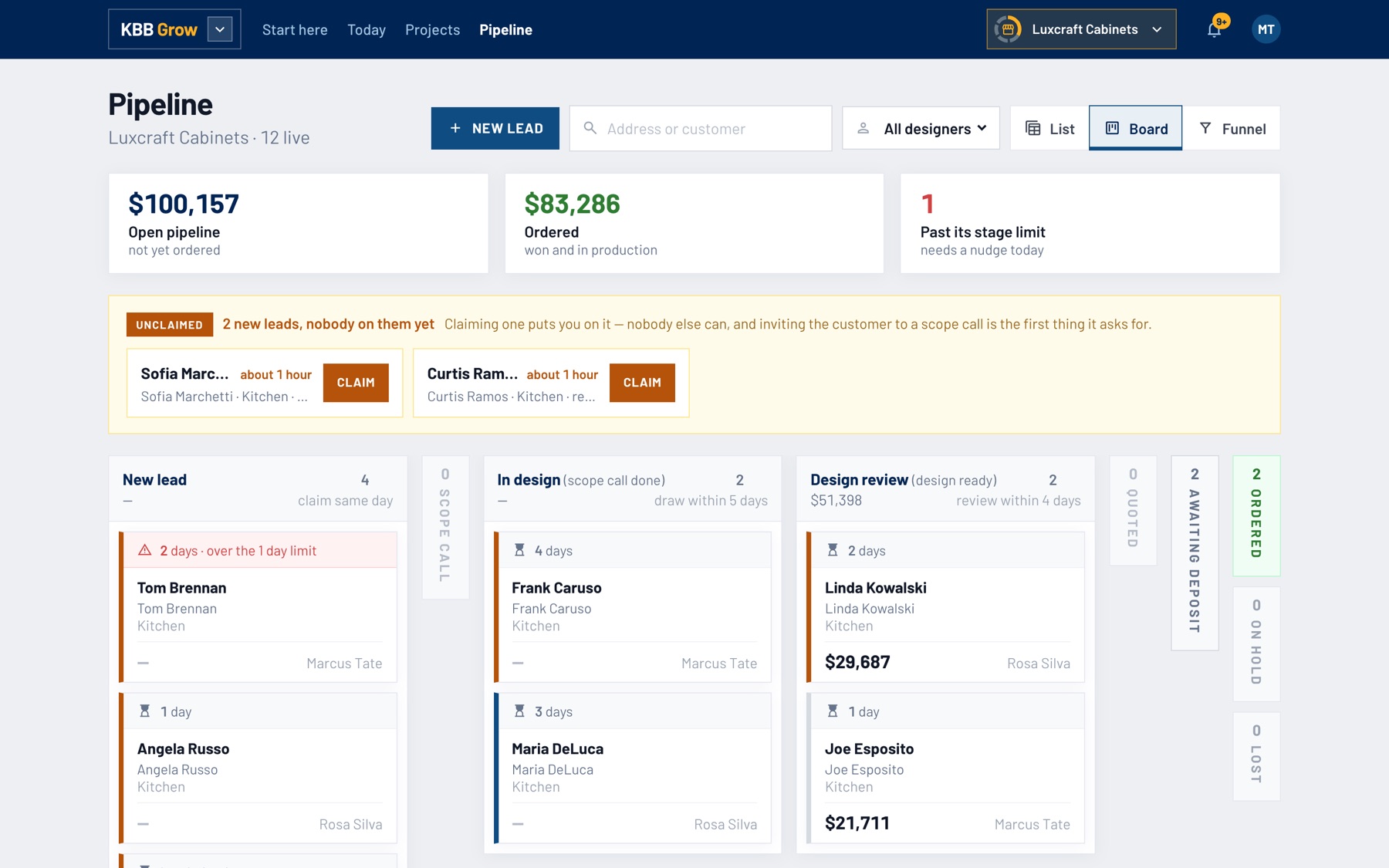
- CRM and pipeline
- Lead widget
- Automated follow-up
- ProKitchen and 2020 quotes
- Customer portal
- Contracts
- Online deposits
- Orders and POs
- 10x
- the leads at CabinetDeals, our online showroom, in 2025
- 10x
- the kitchens sold, same system, same year
- 2 days
- to get a new designer selling, in the showroom or remote
- 1 minute
- from a ProKitchen file to a quote with your name on it
Every job, from first call to install.
Get the lead before it goes cold.
A customer finds you at 11pm. Four questions on your website and she books her own measure.
- Lead widget for your website
- Self-booked measures and scope calls
- Your measuring guide sent with every booking
- Every lead lands in one pipeline
Every lead has an owner and a next step.
A designer claims it, and every job sits in one board by stage, with who has it and what it is worth.
- CRM and pipeline by stage
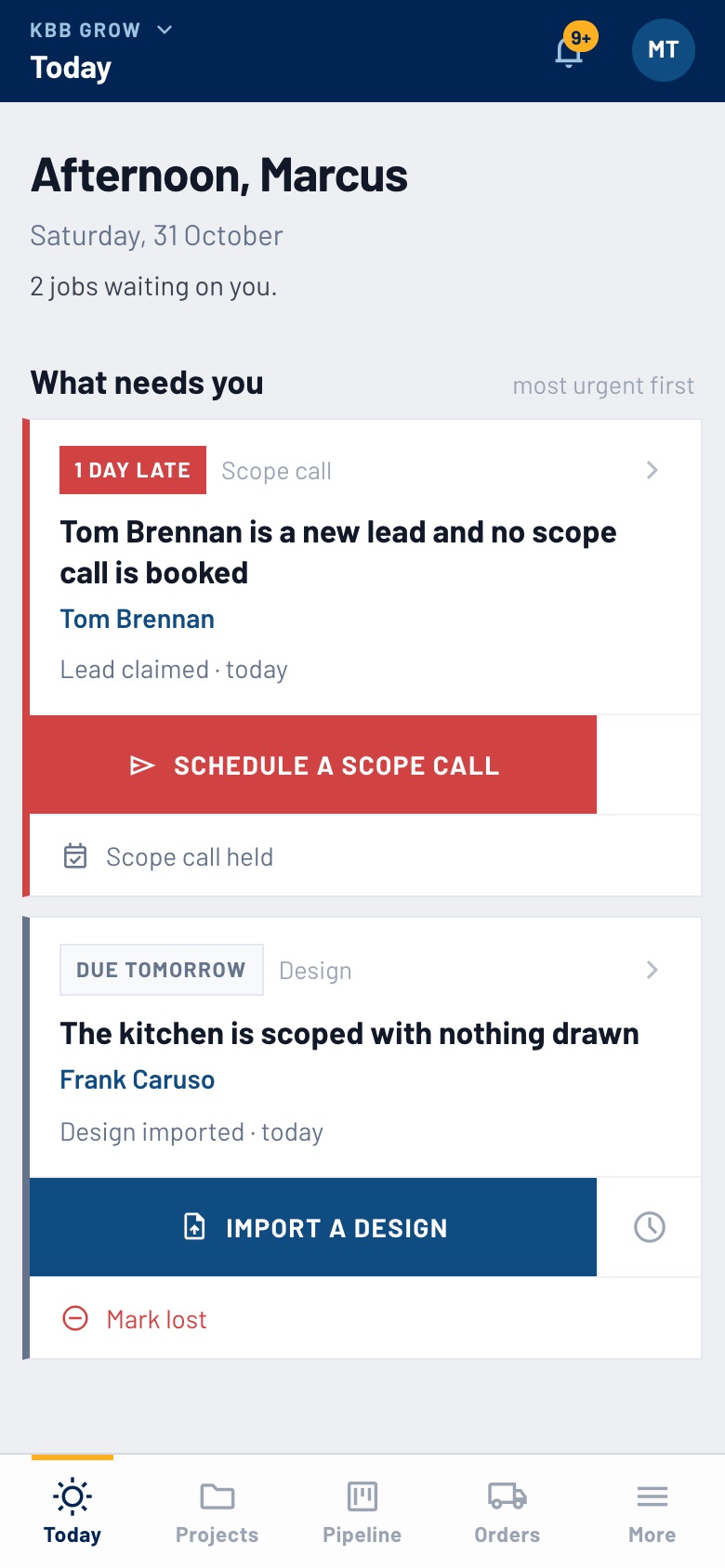
- Today: who to call each morning, and why
- Unclaimed leads in a tray of their own
- Late jobs flagged before they go quiet
Your ProKitchen file in. A quote with your name out.
Your designer draws like always. The quote is built from the file in under a minute.
- Reads ProKitchen and 2020 files
- Your prices, discounts and margin
- One page the customer reads without a login
- You see when she opens it
 Luxcraft Cabinets
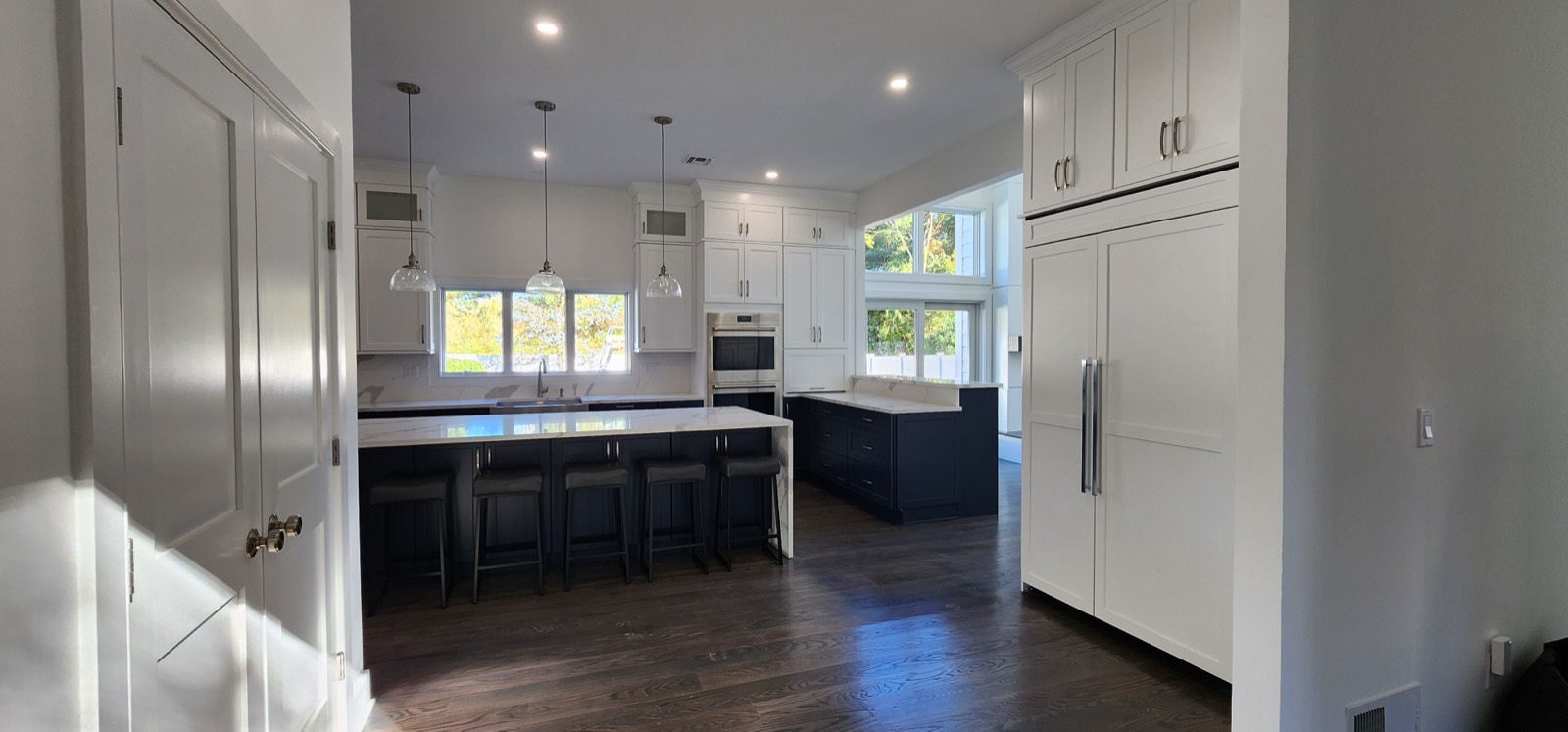
She signs, she pays, the order goes out.
She accepts the quote on her phone, signs the contract and pays the deposit by card. Then your purchase orders go out, one per vendor.
- She signs the contract online
- She pays by card, into your Authorize.net
- Deposit and balance on the same page
- One purchase order per vendor
Luxcraft Cabinets
The Whitfields
-
Quote sent checkWhitfield kitchen, $36,120Opened on her phone, Aug 20
-
Contract signed checkSigned on the same pageAug 21, 9:12pm
-
Deposit paid check$18,060 by cardInto your Authorize.net account
-
Orders placed checkOne purchase order per vendorFabuwood, countertops, hardware
They asked on Sunday. You quoted Thursday. Job lost.
We ran it on ourselves first.

booking and selling
Run the showroom from your phone.
Today, the pipeline and every job, in your pocket. It installs from the browser: no app store, nothing to update.
- Mobile app: every designer, in the showroom or on the road.
- Notifications: on your phone the moment something needs you.
- Real people: call 800-667-1307 and a showroom owner answers.
Let's grow your showroom together.
For the dealers who want more kitchens and fewer late nights. Get the setup, the support and the playbook to grow your showroom.
Set up with you
Two calls, about two days: your live jobs moved in, your catalogs loaded, your designers shown around. Free.
A dealer picks up
Call 800-667-1307 and you get a showroom owner, not a ticket. We sell kitchens too.
Tried on our floor first
Anything new runs on our own jobs at Luxcraft and CabinetDeals.com before it reaches yours.


What's included with KBB Suite
 Pipedrive
 HubSpot
$294/month
check
 Jotform
 Typeform
$39/month
check
 Calendly
 Acuity
$34/month
check
 Mailchimp
 ActiveCampaign
$20/month
check
 PandaDoc
 DocuSign
$70/month
check
 SuiteDash
$19/month
check
 QuickBooks
$140/month
check
For a showroom of six, two of whom send contracts. The cheaper tool in each row, at its month-to-month list price on its own pricing page, read October 31, 2026. And that is before the hours spent making seven tools talk to each other.
One flat fee. Everything included.
For any showroom tired of typing quotes.
- ProKitchen and 2020 files in
- A quote with your name on it
- Unlimited quotes
- See when it is opened
Free for as long as you like.
The whole system for one showroom.
- Every designer, no seat fees
- Unlimited jobs and quotes
- Lead widget and pipeline
- Automatic follow-up
- Contracts and card deposits
- Orders and purchase orders
30 days free. No card.
More than one showroom, or the marketing built for you.
- All of Showroom, plus:
- Two or more showrooms
- Landing page built for you
- Lead widget for your site
- Marketing campaigns
- Custom integrations
Talk to Spase or Naum.
What dealers ask us first.
- I bought a CRM before and nobody used it. Why is this different?
- Because it was not built for a kitchen. KBB Suite reads your ProKitchen file, knows what a deposit and a purchase order are, and gives each designer one list of who to call each morning. Our own designers use it all day, which is the only test that counts.
- Do my designers have to stop using ProKitchen or 2020?
- No. They draw exactly as they do now and drop the file in. The quote, the customer page and the order are built from it, so nobody types a cabinet twice.
- How long until we are running?
- Quoting takes minutes, on your own file or our example kitchen. The rest is running in about two days, over two calls with us: one to learn how your showroom works, one to set it up with you. Your live jobs, your catalogs, the widget on your site.
- Does my customer see my cost, my margin or your name?
- No. The customer sees your logo, your colour and your prices. Cost, margin and internal notes stay inside, and KBB Suite is never named to your customer.
- How do customers pay?
- By card, on the quote they are already reading, through your own merchant account. A deposit up front, the balance when the job is done.
- What happens to my data if I leave?
- It is yours. Export it any time. There is no contract: pay monthly or yearly, and cancel when you like.
Quote your next kitchen free.
Drop in your ProKitchen or 2020 file. Your customer gets a quote with your name on it, and you see the moment they open it. No card, nothing to install.
Works with the tools you already use
-

-
 2020Design Flex
-
 Google Calendar
-

-
